Yes, CMC Markets is an excellent trading app for CFDs and spread betting, especially when you compare it to more expensive brokers like eToro. In this review, we have tested CMC Markets’ trading app and highlighted some of the best features.

69% of retail investor accounts lose money
- Good Money Guide experts commend the CMC Markets Trading App for its extensive educational resources and real-time market insights, highlighting its suitability for active traders. The app features a user-friendly interface with excellent sentiment indicators and tight pricing, although it lacks direct market access (DMA) trading and investment accounts.
- Across 237 user reviews on Good Money Guide, averaging 4.2/5, customers frequently praise the app's ease of use, fast execution, and reliable customer service. Many users appreciate the comprehensive educational content and the platform's ability to provide clear data and analysis tools. However, some users suggest improvements in mobile app usability and express a desire for enhanced user-friendly features.
CMC Markets Trading App Expert rating
Our expert rating is the average of the areas listed here, each scored out of 5 by our team.Our experts have rated CMC Markets Trading App across five key areas of our review framework.
- Pricing5.0
- Market Access4.5
- App & Platform5.0
- Customer Service4.0
- Research & Analysis4.0
Pros
- Excellent trading app
- Tight pricing and spreads
- Good sentiment indicators
Cons
- No DMA app trading
- No investment account
See full expert review
Is CMC Markets trading app any good?
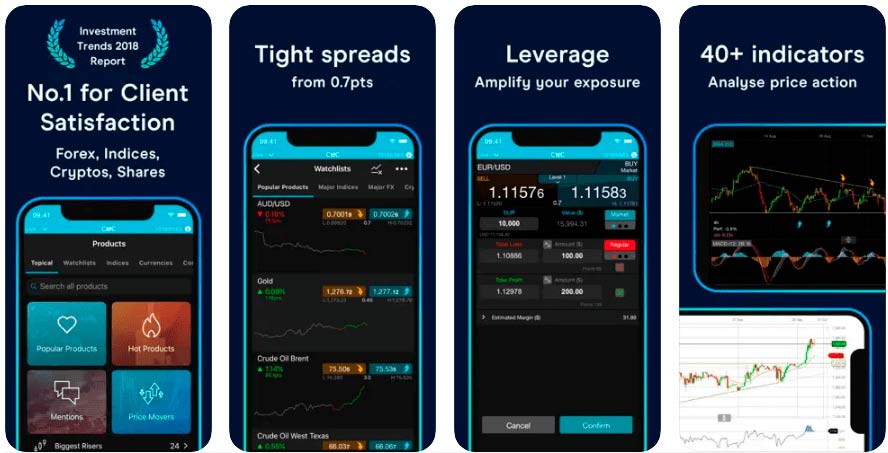
Yes, CMC Markets’ trading app lets you trade over 12,000 markets via CFDs and financial spread bets. It’s suitable for active traders and has the same fast-paced feel as the main platform.
One of the things that makes CMC Markets app stand out for me when I tested it is the focus on media as well as execution. Instead of providing an app that is just a slimmed-down version of the main platform, there is a huge amount of educational and news content available as video. So the app provides a bit more than just a way to stay connected to the markets, it can be a resource and a way to learn whilst on the move.
The analysis section provides insights and intraday updates, news from Reuters, economic calendars and CMC TV can keep you informed and entertained. There are also some quite good platform tour videos, so you can get to know the platform better, some educational videos on how to trade and you can join live events.
The app quite nicely highlights trending, popular and typical markets, which are ranked by activity so you can see the most liquid markets and what is being traded.
One of the standout features though is CMC Markets’ client sentiment data, which is displayed around the order tickets. When you bring up an asset you can see what percentage of clients are long or short, related products and also break it down between which way the profitable and non-profitable clients are trading.
Overall, CMC Market’s trading app is an excellent resource for active traders on the move.
Customer reviews for CMC Markets
Customer ratings come from reviews left on this site. Every review is read and approved before it is published.Based on 237 reviews
- Excellent52%
- Very good22%
- Basic18%
- Poor6%
- Bad2%
Read customer reviews
excellent company
Everything, from data sharing to information sharing to ideas to trade. Really good provider. I love it.
Let not mobile app close it self
You can close all your positions at one -- one click
Excellente
Customer service
Extremely efficient
Excellent trading platform
Efficient
Tight spreads
Customary
Available anytime you need assistance, their educational videos are explanatory
trustworthy
market price action accuracy and response, good spreads, very easy to use, quick withdraw and depositing
easy
Makes trading easy
Good
Everything, good customer facing service .
transparent
very easy to use interface, most competitive spreads also on futures
Efficient
Gives in formation
Efficient
Web Platform works very well
easy and clear data
Presents the information in a clear way and loads of charts and analysis tools
Don't Play games like IG Markets and other providers
CMC Markets does a number of things exceptionally well. The app is consistently reliable and always available when you need it, which is crucial in fast-moving markets.
One standout feature is how quickly prices become available. For example, when Sunday trading opens, CMC Markets provides pricing almost immediately, whereas other platforms can take several minutes before showing any market activity. That early access can make a real difference.
Another major advantage is the flexibility in position sizing. CMC allows you to take very small positions, unlike some providers that enforce larger minimum contract sizes. This gives you much better control over your risk, which is especially important when trading CFDs and other leveraged products. It makes the platform more accessible and, in my view, safer for managing exposure.
Overall, the combination of reliability, speed, and flexibility makes CMC Markets stand out from many other providers.
Very good
Really good
Very efficient and been using them for years
Customer service and execution very precise and no issues over the years , satisfied customer
Reliable
Ease of execution of trades. Simple to amend trades.
Excellent Service
Great trading platform and a wide range of products
Professional
I always find that CMC customer service always find a solution to any problems i have - this enhances my day to day CFD trading experience.
Excellent broker - used for 10yrs
I've been using CMC Markets for the last 10 years
Compare CMC Markets To Other UK Trading Apps
| Name | Logo | Markets | Overnight Fees | GMG Rating | Customer Reviews | CTA | Feature | Expand |
|---|---|---|---|---|---|---|---|---|
 |
Markets 13,500 |
Overnight Fees 2.5% +/- SONIA |
GMG Rating |
Customer Reviews |
Download App 69% of retail investor accounts lose money |
Account Types:
|
|
|
 |
Markets 7,000+ |
Overnight Fees 2.5% +/- SONIA |
GMG Rating |
Customer Reviews |
Download App 74% of retail CFD accounts lose money. |
Account Types:
|
|
|
 |
Markets 4,500+ |
Overnight Fees n/a |
GMG Rating |
Customer Reviews |
Download App 65% of retail investor accounts lose money |
Account Types:
|
Capital.com Expert ratingOur expert rating is the average of the areas listed here, each scored out of 5 by our team.
Pros
Cons
Our verdictCapital.com was voted best CFD broker in 2026 and won the People's Choice vote for "Best Trading Account" in the 2025 Good Money Guide Awards and "Best Trading App" in our 2023 awards as they have one of the most intuitive apps for trading the most popular markets globally. Capital.com was founded in 2016 and is a CFD trading platform broker with offices in the UK and around the world. Since then, they have grown to offer over 5,500 tradable assets to 100,000 monthly active clients. Is Capital.com any good for trading?Capital.com has a user friendly and intuitive trading platform and app, that gives access to the most popular financial markets with competitive spreads with the ability to reduce risk by decreasing your leverage. Trading via the app has always been capital.com's forte, and in 202, it won our award for "best trading app" not in part due to the fact that the company CTO has extensive experience in building engaging apps like Candy Crush. What makes Capital.com different? Thumbs up, literally Do you know what one of the most impressive thing about Capital.com is? They put the buy and sell buttons at the bottom of the app. I don't mean that in a facetious way, it's genuinely a brilliant feature. This may not sound like much but it's a good example of how Capital.com has integrated decades of analytics, experience, feedback and customer data into creating a very easy-to-use intuitive trading app from scratch. When Capital.com first became authorised by the FCA back in 2018, I visited their offices in London to have a chat about what they offer. The two main things we discussed were button placement and AI. Trading App But anyway, if you've updated your iPhone to the latest iOS you'll notice that Apple has started moving things to the bottom of the screen, the search bar for instance. This is because, phones are getting bigger, and your thumb can't reach the top of the screen if you are holding it with one hand. This is something that Capital.com figured out would make trading easier 5 years ago. I've just been through a bunch of other trading apps on my phone and still, amazingly enough, none of the other brokers have done this yet.
Capital.com was also the first to integrate artificial intelligence to help you improve your trading, they say, based on the Martingale theory. When I spoke to Chris Demetriou, the head of sales in the UK, he said that the system should give you prompts based on your previous trades. So for example, if you are about to do a trade that is similar to ones you have constantly lost on before, you should get a "are you sure you want to do this" notification. Leverage Control Everybody knows, that one of the main reasons people lose money when trading is overleverage. This could be either from not having enough free cash on account to give your position breathing space, or simply putting on trades that are too risky. One really good feature is that you can change your leverage based on asset class. The default leverage is the max that retail traders in the UK are permitted, but you can change this to 1:1 so you need to fully pay up for positions. A sensible thing to do if you are just getting started, which can help reduce excessive losses. As your experience grows you can increase your leverage accordingly. Hedging You can also set the platform to put on hedging positions, so you can be long and short the same thing at the same time. Why you ask? Well, it can help you run longer-term positions and short-term hedges. This in fact is the very point of CFDs. They were originally hedging tools, and still a good way to protect your long-term investment portfolio against short-term market corrections without having to close off your positions. Customer Support Customer support is pretty good too, you can get in touch via the chat widget on the platform, whatsapp or telegram. When I tested it I got a response within a minute and the issue I had was dealt with quickly (uploading ID to verify my account if you must know). TradingView You can't trade from the charts, but when you have open positions they are overlayed along with your stops and limits, which you can move by dragging and dropping. But, if charting is your thing, you can join the other 78,000 Capital.com customers using and trading from TradingView. Proprietory Tech One thing I quite like though is that instead of relying on third-party software, the Capital.com trading platform is built in-house, and if you want something you can ask for it. For example, previously on the app you could see where an asset is as a percentage relative to the daily range. But, a customer asked, if you could see it in points too. So, that was quickly integrated so that you can now toggle between percentages and points. A small thing, but indicative of a broker that can do things and does do things, rather than just logging a helpdesk ticket. Refinitiv There are no trading signals on the platform or app, but you do get access to Refinitiv reports on US stocks, which give you a good overview of historic and potential future financial health. A good feature for those looking at slightly longer-term positions. Overnight funding Talking of long positions, or longer long positions, Capital.com also display quite clearly what your overnight financing rates are going to be on a daily basis. I'm sure this is a regulatory obligation anyway, but it's done in a way that you can actually see what the price is, rather than an opaque formula. It gives a bit more transparency about how much a position is going to cost you. Investmate If you are new to trading, they have a stand-alone app called Investmate, which puts you through a series of bitesize courses that explain the financial markets. Capital.com also own currency.com if you fancy a punt on crypto, and shares.com so we can expect to see more comprehensive physical investing options soon. |
|
 |
Markets 2,000+ |
Overnight Fees n/a |
GMG Rating |
Customer Reviews |
Download App 76% of retail investor accounts lose money |
Account Types:
|
|
|
 |
Markets 1,350+ |
Overnight Fees 2.5% +/- SONIA |
GMG Rating |
Customer Reviews |
Download App 73% of retail investor accounts lose money |
Account Types:
|
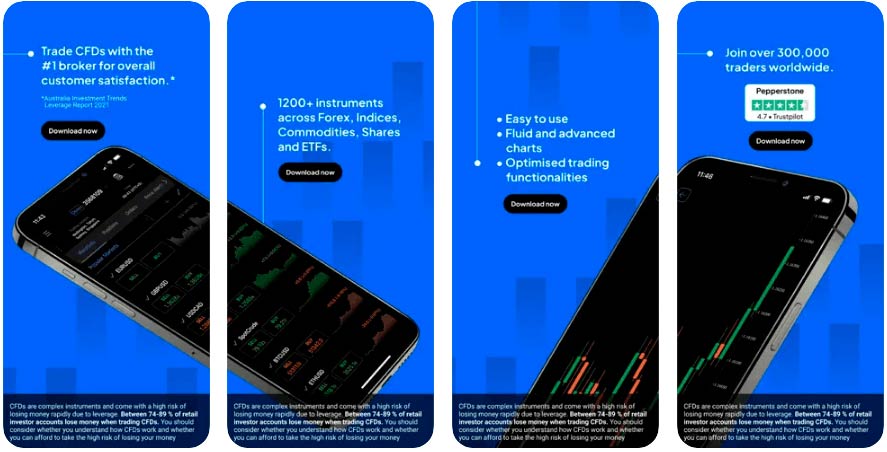
Pepperstone Trading Apps Expert ratingOur expert rating is the average of the areas listed here, each scored out of 5 by our team.4.8Excellent Our experts have rated Pepperstone Trading Apps across five key areas of our review framework.
Pros
Cons
Our verdictPepperstone has four trading apps, MT4/MT5, cTrader and TradingView which provide access to CFDs and spread bets on the major markets for active traders with tight spreads. Pepperstone has also just released it's own proprietory trading app. Does Pepperstone have a good trading app?Pepperstone has a good version of the MT4 app for tight spreads on forex and is one of only two brokers to offer spread betting via TradingView in the UK. Pepperstone’s version of the MT4 trading app, will connect you to your MT4 account with Pepeprstone but when I tested it the algo and automatic trading functions of the desktop version are not available through the app. The cTrader Pepperstone App, though is feature-rich including, market sentiment, market depth economic calendars, and technical analysis from Autochartist which displays regularly updated trading signals. There is no stand-alone trading signal feed, but once you are looking at a market, Autochartist will display the most recent signal from 15 minute, 30 minute, 1 hour and 4 hour time frames and automatically display a buy or sell one-click order button based on if it is a long or short signal. The app also breaks down your trading statistics based on previous trades per asset. So for example, if you are trading a US stock on the app, it will tell you how well you have done in the past with your overall net profit, what commission you have paid, your best and worst trades and how long you generally hold a position in that stock for. Market access is narrow and pricing is tight.
|
|
 |
Markets 10,000 |
Overnight Fees 3% +/- SONIA |
GMG Rating |
Customer Reviews |
Download App 61% of retail investor accounts lose money |
Account Types:
|
Spreadex Trading App Expert ratingOur expert rating is the average of the areas listed here, each scored out of 5 by our team.4.6Excellent Our experts have rated Spreadex Trading App across five key areas of our review framework.
Pros
Cons
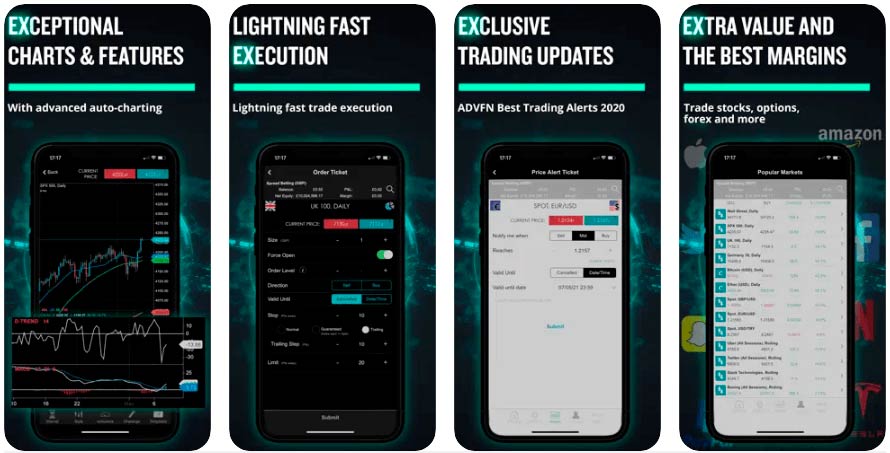
Our verdictSpreadex's trading app has access to the same 10,000 markets which you can trade by spread betting or CFDs (no physical investing yet). Pricing is very competitive in the major markets but does get wider the more exotic the product. Spreadex has always been very good at offering access to smaller cap stocks, some of which are also available on the app, as well as the main platform and over the phone. Is Spreadex's trading app any good?Yes, the Spreadex trading app, as with the main trading platform, offers some of the best customer service and is suited to traders who just require a click-and-trade app and won’t be using it for research or signals. The watchlists, highlight, popular market, the risers and fallers, but there is not much in the way of cluttered educational content or analysis. you can view market updates, weekly analysis, and financial trading blogs, but these are just links to webpages from the app. One good feature I found when testing it though is that you can talk directly to customer support via live chat through the app. This is one area where Spreadex has always excelled as a smaller UK broker, offering good customer service where you can get in touch with someone who knows what they are talking about quickly. Overall, the app is a good compliment to Spreadex’s service.
|
|
 |
Markets 15,000 |
Overnight Fees 2.5% +/- SONIA |
GMG Rating |
Customer Reviews |
Download App 70% of retail investor accounts lose money |
Account Types:
|
IG Trading App Expert ratingOur expert rating is the average of the areas listed here, each scored out of 5 by our team.
Pros
Cons
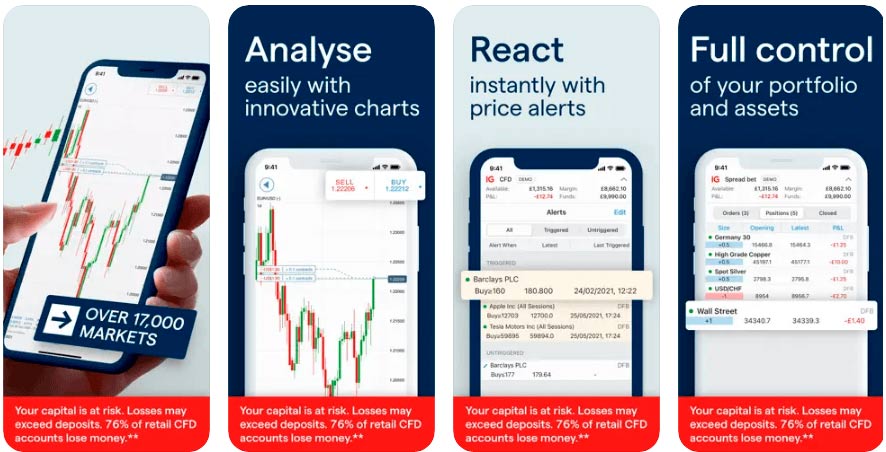
Our verdictIG’s trading app offers access to the same range of markets and account types as the main platform. You can trade CFDs and spread bet on over 17,000 instruments and invest in longer-term products like ISAs and physical shares. Is IG's trading app any good?Yes, IG is one of the best trading app for market range and DMA trading. It was nice to see that when I used the IG trading app I could also get access to trading signals from Autochartist with entry, exit and stop levels that can be executed on mobile with the signal data on the same screen as the order ticket. IG’s trade analytics package is also available so you can review your trading win rate, return, and profit and loss ratio as well as see whether you are a better short or long-term trade, the app will also highlight your best and worst markets. The app trade analytics will also show your total financial exposure and your most recent trades. The app’s news, section, whilst not as comprehensive as the web version can be filtered down by asset class, you can see what is most relevant to you. There is also a macroeconomic event calendar and a diary of company announcements so you don’t get caught off guard with unexpected figures or can take advantage of upcoming market volatility. One key advantage of the IG app is that IG provides markets over the weekend so you can trade to reduce or increase your exposure on the move and out of normal market hours. You can also see level-2 data and trade DMA on shares. The app syncs with your accounts so watchlists and recently traded and viewed markets will be easy to see. Charting, is good, landscape and portrait, plus you can trade directly from the charts, as well as drag and drop, stop and limit levels. Overall, IG’s trading app is one of the best out there, with more features and markets than most of the competition.
|
|
 |
Markets 21000 |
Overnight Fees 2.9% +/- SONIA |
GMG Rating |
Customer Reviews |
Download App 69% of retail investor accounts lose money |
Account Types:
|
CMC Markets Trading App Expert ratingOur expert rating is the average of the areas listed here, each scored out of 5 by our team.4.5Excellent Our experts have rated CMC Markets Trading App across five key areas of our review framework.
Pros
Cons
Is CMC Markets trading app any good?Yes, CMC Markets’ trading app lets you trade over 12,000 markets via CFDs and financial spread bets. It’s suitable for active traders and has the same fast-paced feel as the main platform. One of the things that makes CMC Markets app stand out for me when I tested it is the focus on media as well as execution. Instead of providing an app that is just a slimmed-down version of the main platform, there is a huge amount of educational and news content available as video. So the app provides a bit more than just a way to stay connected to the markets, it can be a resource and a way to learn whilst on the move. The analysis section provides insights and intraday updates, news from Reuters, economic calendars and CMC TV can keep you informed and entertained. There are also some quite good platform tour videos, so you can get to know the platform better, some educational videos on how to trade and you can join live events. The app quite nicely highlights trending, popular and typical markets, which are ranked by activity so you can see the most liquid markets and what is being traded. One of the standout features though is CMC Markets’ client sentiment data, which is displayed around the order tickets. When you bring up an asset you can see what percentage of clients are long or short, related products and also break it down between which way the profitable and non-profitable clients are trading. Overall, CMC Market’s trading app is an excellent resource for active traders on the move.
|
|
 |
Markets 2,000 |
Overnight Fees +8.5% / -5.8% |
GMG Rating |
Customer Reviews |
Download App 74% of retail investor accounts lose money |
Account Types:
|
XTB Trading App Expert ratingOur expert rating is the average of the areas listed here, each scored out of 5 by our team.
Pros
Cons
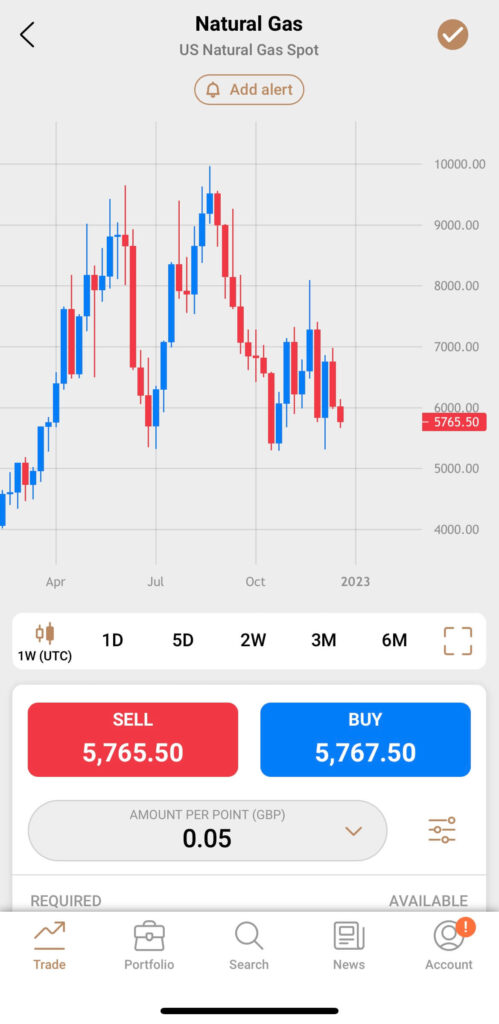
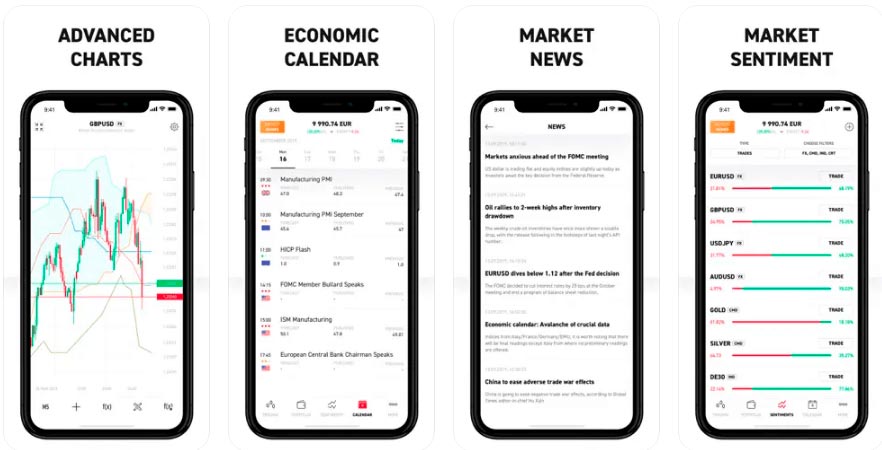
Our verdictXTB’s trading app provides access to about 2,100 markets through CFDs and does provide some added value over the more basic apps from other brokers. Is XTB's trading app any good?Yes, XTB has some pretty good trading apps. They offer MT4, MT5 and xStation Mobile, for traders to trade on the move. Of those, I would say that XTB's xStation mobile is very good, especially compared to basic CFD mobile trading apps like eToro. Specifically, the app highlights your favourite markets, and what is “hot” at the moment so you can see what traders are trading as well as sentiment indicators for those most popular markets. You can filter XTBs client trader sentiment by buyers and sellers, and also by asset class, so you can see where order flow has been going and decided if you want to follow or take a contrarian position. Charting is nicely layed out, but you cannot trade from the charts on the app (you can on desktop), but the crosshairs feature, does give you a visual of where your orders are relative to support and resistance on the same screen, which is a nice touch. I did find when trading on the app though there is a good “Discover” section where you can view popular markets such as stocks that have exposure to “inflation protection”, environmental assets, top ETFs that are being traded and also a tab for stocks and markets that are being talked about on Reddit. You can get access, via the app, to XTBs educational videos, such as their Masterclass, and interviews with people like Jamie Rogozinksi from WallStreetBets. Overall, the app has some good features and is a good complement to the main trading platform.
|
|
 |
Markets 8,500 |
Overnight Fees 1.5% +/- SONIA |
GMG Rating |
Customer Reviews |
Download App 59.7% of retail investor accounts lose money |
Account Types:
|
Interactive Brokers Trading App Expert ratingOur expert rating is the average of the areas listed here, each scored out of 5 by our team.4.3Very good Our experts have rated Interactive Brokers Trading App across five key areas of our review framework.
Pros
Cons
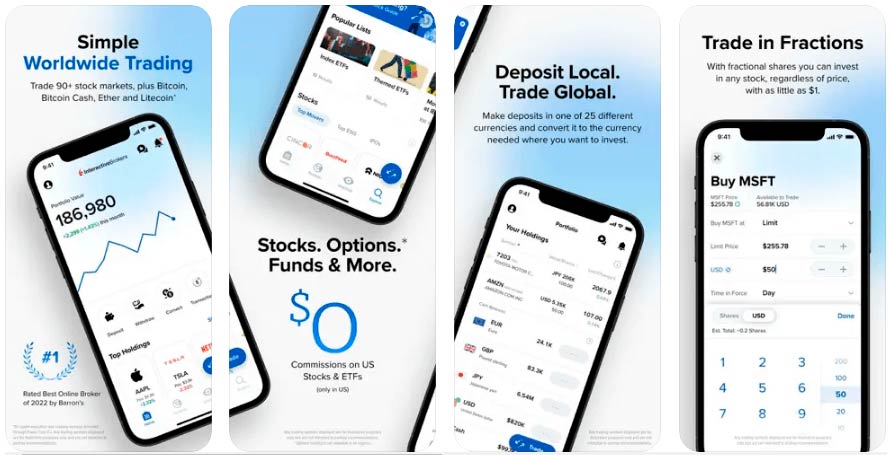
Our verdictAs with the main trading platforms, Interactive Brokers’ trading apps are some of the best around. I tried all three different apps on offer, IBKR Mobile, IBKR GlobalTrader and IMPACT. Is Interactive Brokers' trading app any good?Yes, IBKR is one of the best app for sophisticated and professional traders is the IBKR Mobile as which replicates some of the functionality of the Interactive Brokers desktop TraderWorkstation platform. IBKR Mobile is the mobile version of the main trading platform and has the most functionality, where you can view your derivatives and investment portfolio, view charting, trade options, futures, and CFDs. You can also access the iBot feature which helps you search for things like dividend dates, corporate earnings reports, and economic events around stocks or markets you are interested in trading. Charting is initially simple, but under the settings, you can add indicators, show live orders, and annotations and change the bar size and chart type. There is also the IMPACT lens features that measures your portfolio and gives it a ranking based on how ethical your positions are. The news section also lets you filter and search for IBKR news and analysis from The Fly Swawkbox, Real Vision (an excellent premium analysis vlog from Raoul Pal) and Bloomberg. IBKR GlobalTrader has a slightly easier feel and is focussed more on stock traders. You get inspiration for investing in stocks, based on their sector, price moves, news flow. News is also filtered down based on the positions in your portfolio. For more ethical investors the IMPACT app is focussed on helping you make more ethical investment decisions. You get access to the same markets to trade in by the app ranks your portfolio by how ethical they are. It will also show you a more ethical alternative, with a similar investment profile which you can switch to with the click of a button. Overall, Interactive Brokers’ trading apps, are some of the best around with excellent functionality and access to one of the widest selection of markets and investment products around.
|

Richard is the founder of the Good Money Guide (formerly Good Broker Guide), one of the original investment comparison sites established in 2015. With a career spanning two decades as a broker, he brings extensive expertise and knowledge to the financial landscape.
Having worked as a broker at Investors Intelligence and a multi-asset derivatives broker at MF Global (Man Financial), Richard has acquired substantial experience in the industry. His career began as a private client stockbroker at Walker Crips and Phillip Securities (now King and Shaxson), following internships on the NYMEX oil trading floor in New York and London IPE in 2001 and 2000.
Richard’s contributions and expertise have been recognized by respected publications such as The Sunday Times, BusinessInsider, Yahoo Finance, BusinessNews.org.uk, Master Investor, Wealth Briefing, iNews, and The FT, among many others.
Under Richard’s leadership, the Good Money Guide has evolved into a valuable destination for comprehensive information and expert guidance, specialising in trading, investment, and currency exchange. His commitment to delivering high-quality insights has solidified the Good Money Guide’s standing as a well-respected resource for both customers and industry colleagues.